
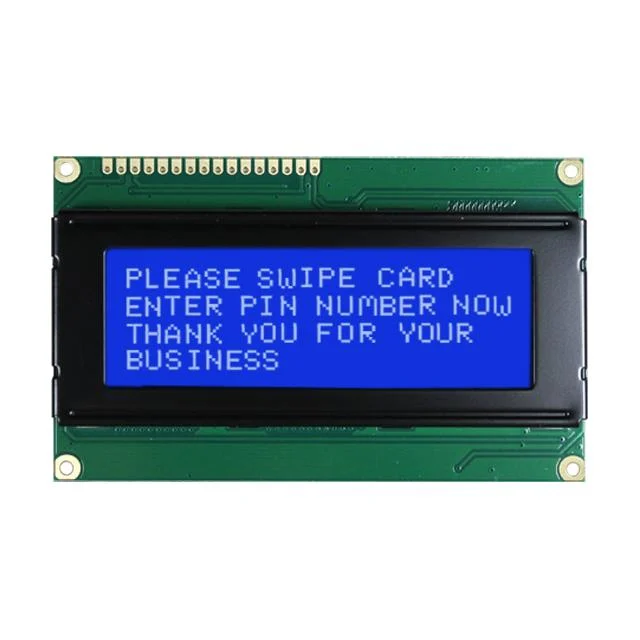
The 2004A LCD: The Blue-Screen Workhorse of DIY Electronics
A Deep Dive into the 20x4 Character Display and Its HD44780 Controller
The 2004A Blue Screen LCD is a staple in the world of hobbyist electronics, DIY computing, and industrial prototyping. If you’ve ever built an Arduino project or looked at the interface of a 3D printer, you’ve likely seen its iconic white-on-blue glow.
Here is a breakdown of why this specific module is so enduring and how it actually functions.
What is a 2004A LCD?
The nomenclature "2004A" isn't just a random serial number; it describes the display's physical layout. It is a character-based Liquid Crystal Display capable of showing 20 characters per line across 4 lines.
Character vs. Graphical: Unlike your smartphone, this screen doesn't control individual pixels to draw complex shapes. Instead, it uses a fixed grid of pixel blocks (usually 5x8 pixels) to render alphanumeric characters and symbols.
The "A" Variant: The "A" usually denotes a specific hardware revision or physical dimension set, ensuring compatibility with standard mounting brackets.
Technical Specifications
| Feature | Specification |
| Display Capacity | 80 Characters (20 x 4) |
| Operating Voltage | 5.0V (Standard) |
| Controller IC | HD44780 (or compatible) |
| Backlight | Blue LED with White characters |
| Interface | 4-bit or 8-bit Parallel (or I2C with adapter) |
The Secret Sauce: The HD44780 Controller
The reason the 2004A is so easy to use is the Hitachi HD44780 controller (or its clones) embedded on the back of the PCB. This chip acts as the "translator" between your microcontroller (like an Arduino or Raspberry Pi) and the liquid crystals.
Because this controller is an industry standard, libraries like LiquidCrystal make it possible to print text with a single line of code, such as lcd.print("Hello, World!");.
Common Connection Methods
1. Parallel Connection (16 Pins)
Directly wiring the LCD requires a lot of "real estate." You typically need 6 to 10 digital pins on your microcontroller to handle the data bits ($D_0$ through $D_7$), the Register Select ($RS$), and the Enable ($E$) pins.
2. I2C Backpack (The Pro Move)
Most modern users solder an I2C Serial Interface adapter to the back of the 2004A. This reduces the pin requirement from 16 down to just 4 pins:
VCC (Power)
GND (Ground)
SDA (Data)
SCL (Clock)
Key Features & Quirks
Contrast Adjustment: Almost all 2004A modules require a 10k-ohm potentiometer connected to the $V_0$ pin. If your screen is powered on but you see no text, 99% of the time, the contrast just needs to be turned up.
Custom Characters: While it's a text-based display, you can actually define up to 8 "custom characters" by manually mapping the 5x8 pixel grid. This is how people create small battery icons or progress bars.
Readability: The blue background with white text offers high contrast, making it readable in low-light conditions, though it can wash out under direct, intense sunlight.
Use Cases
3D Printers: Many Marlin-based printers use the 2004A to show coordinates, temperature, and print percentages.
Home Automation: Displaying temperature, humidity, and sensor data from a central hub.
Networking: Showing IP addresses or server status for "headless" computers.
Specifications for 2004A Blue Screen
| with IIC/I2C | IIC/I2C: No or IIC/I2C: Yes |
|
with IIC/I2C |
IIC/I2C: No , IIC/I2C: Yes |